
Productivity Tools: Admin and Template Enablement Ribbon
Total control in Microsoft Word for template managers.
Manage templates in
Microsoft Word with ease.
The Admin and Template Enablement ribbon helps organizations keep their documents structured, consistent, and easy to maintain. It gives administrators the control they need to manage styles, fields, and layouts across templates, reducing manual work and ensuring every document follows the right standards.

Template consistency
Ensure every document follows the correct corporate styles.

Save admin time
Quickly update all fields, dates, and formatting across documents.

Standardized output
Guarantee professional-looking documents across teams.
Key capabilities
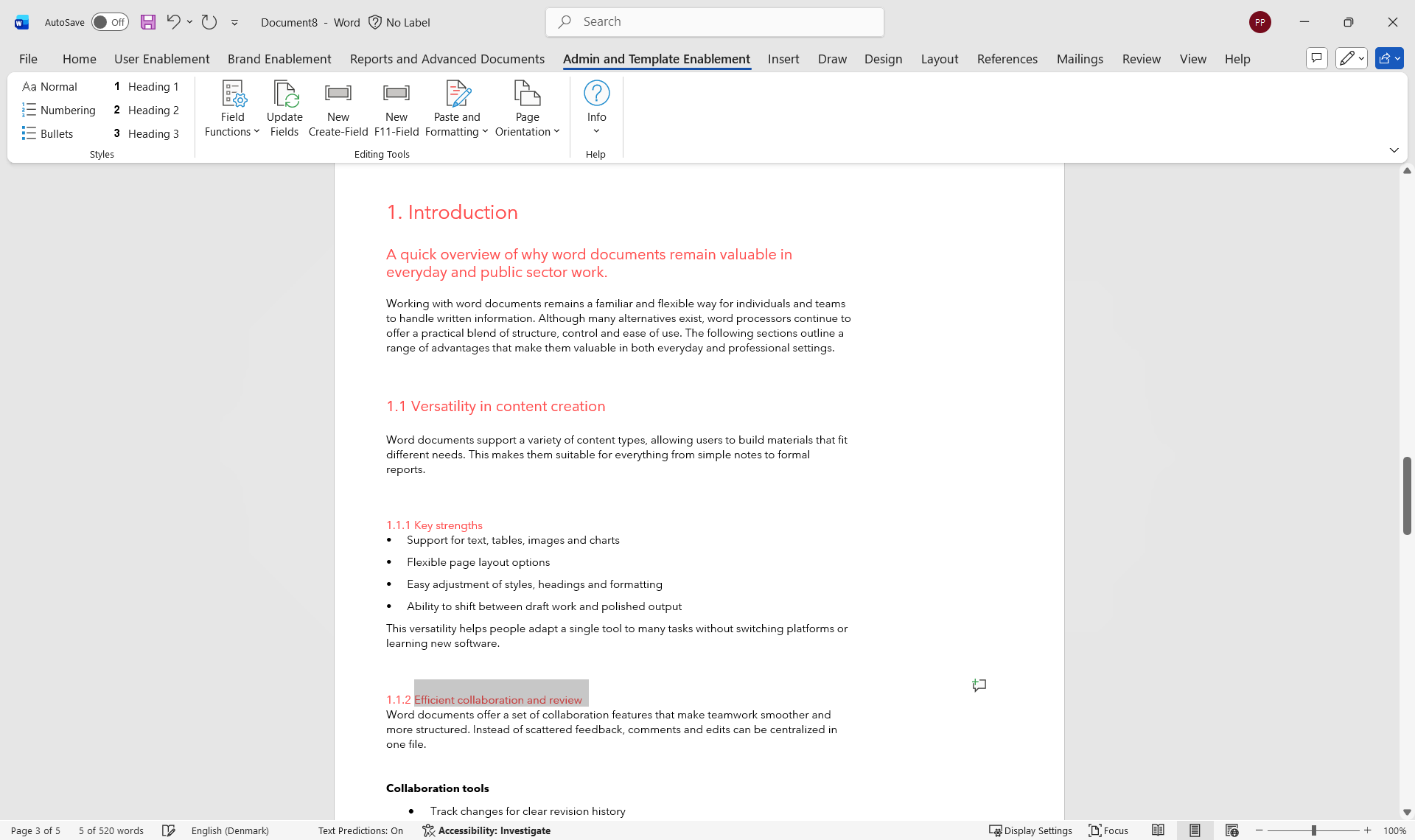
Ribbon overview
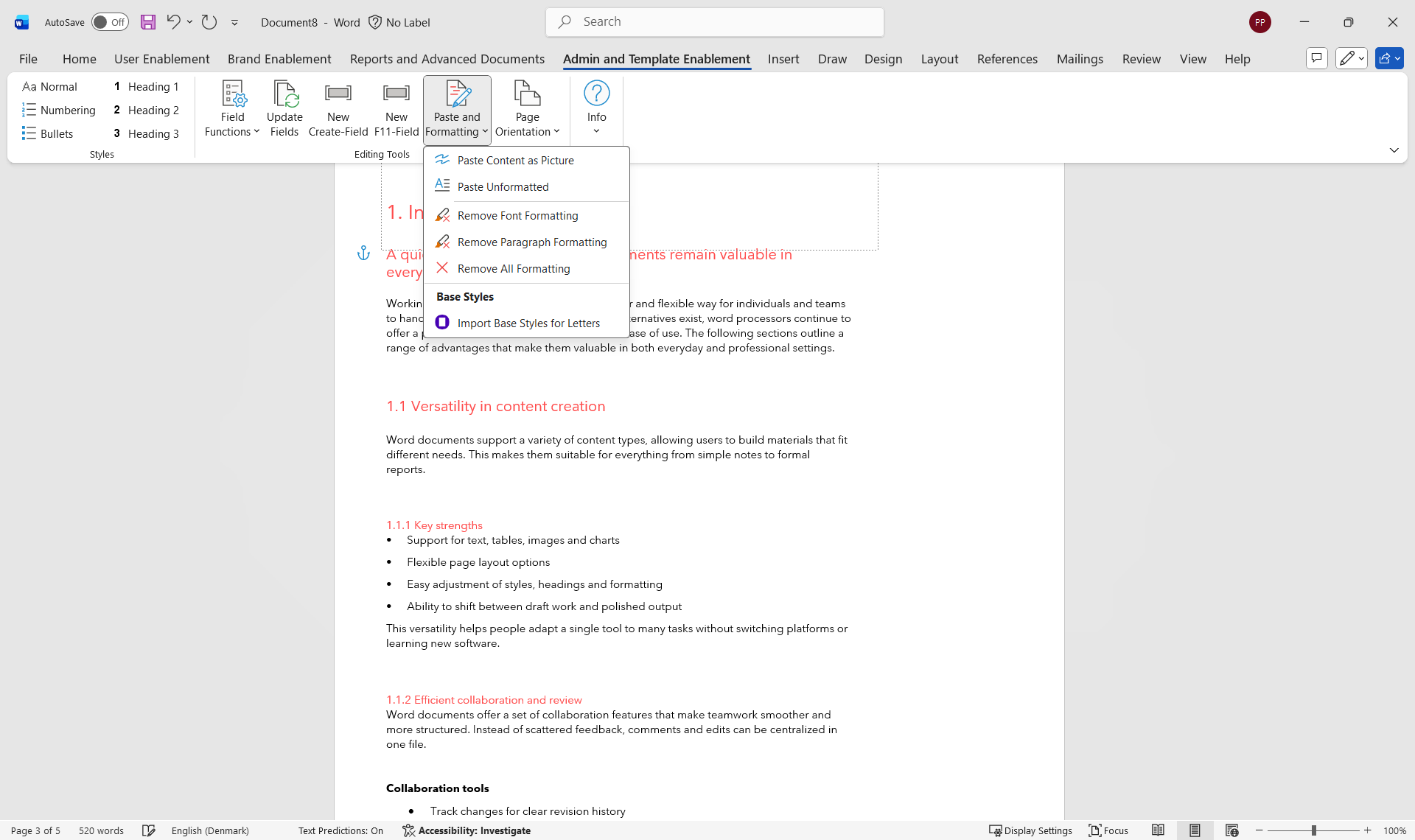
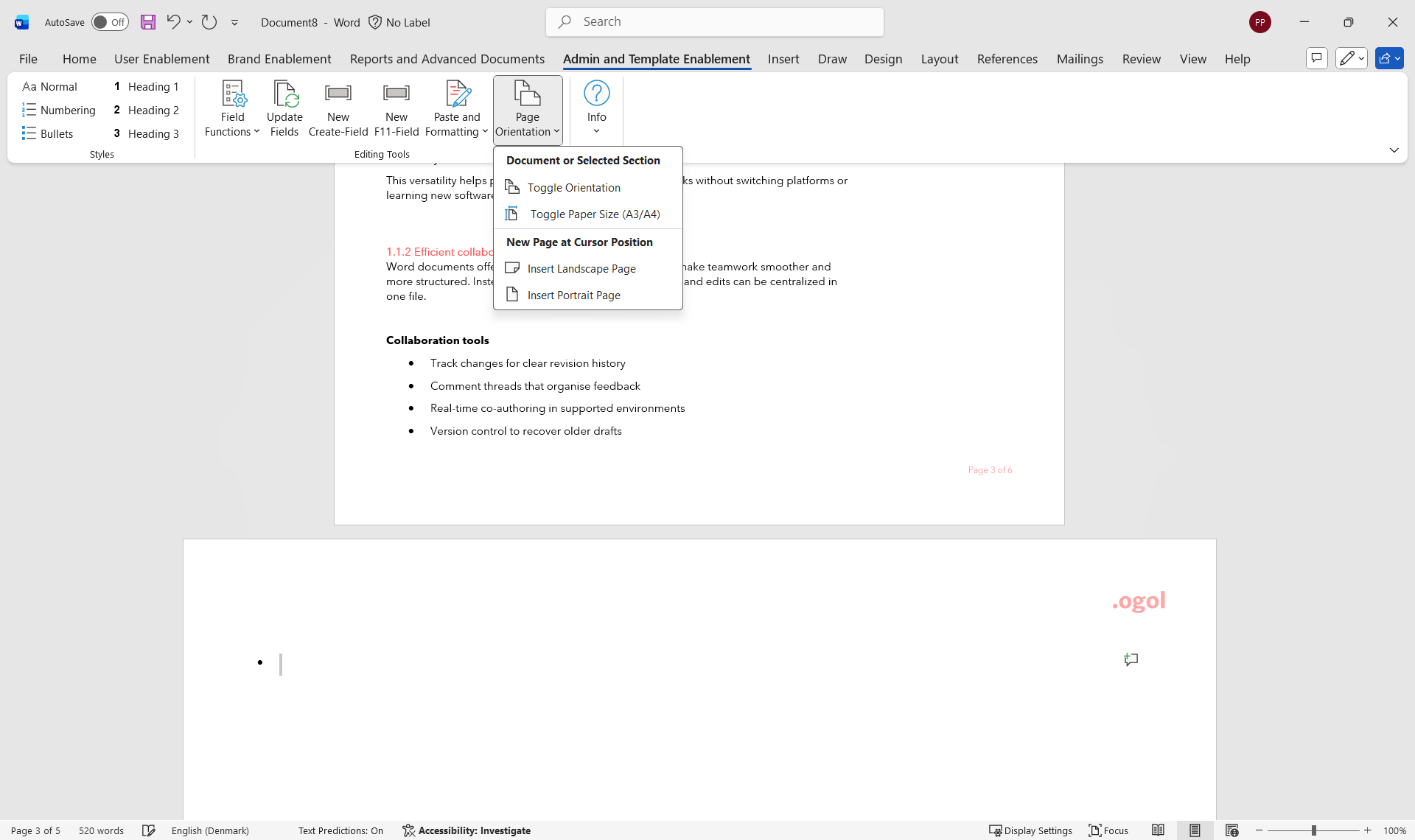
The ribbon brings these capabilities straight into Word with intuitive, time-saving tools. From quick styling and field updates to cleaner formatting and flexible page layouts, each feature is designed to simplify template upkeep and support smoother, more accurate document creation for every user.
-
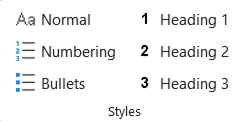
Styles group
Fast, consistent style control
Apply the correct styles instantly so documents stay clean, structured, and on brand every time. Designed to give admins and users quick access to the most important formatting choices.
- Apply built-in styles in one click
- Ensure headings and lists follow the right structure
- Speed up styling tasks across templates
-
-
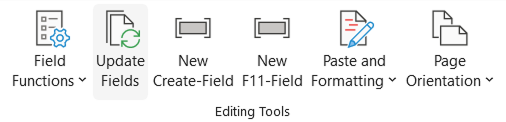
Editing tools group
Smarter, streamlined editing
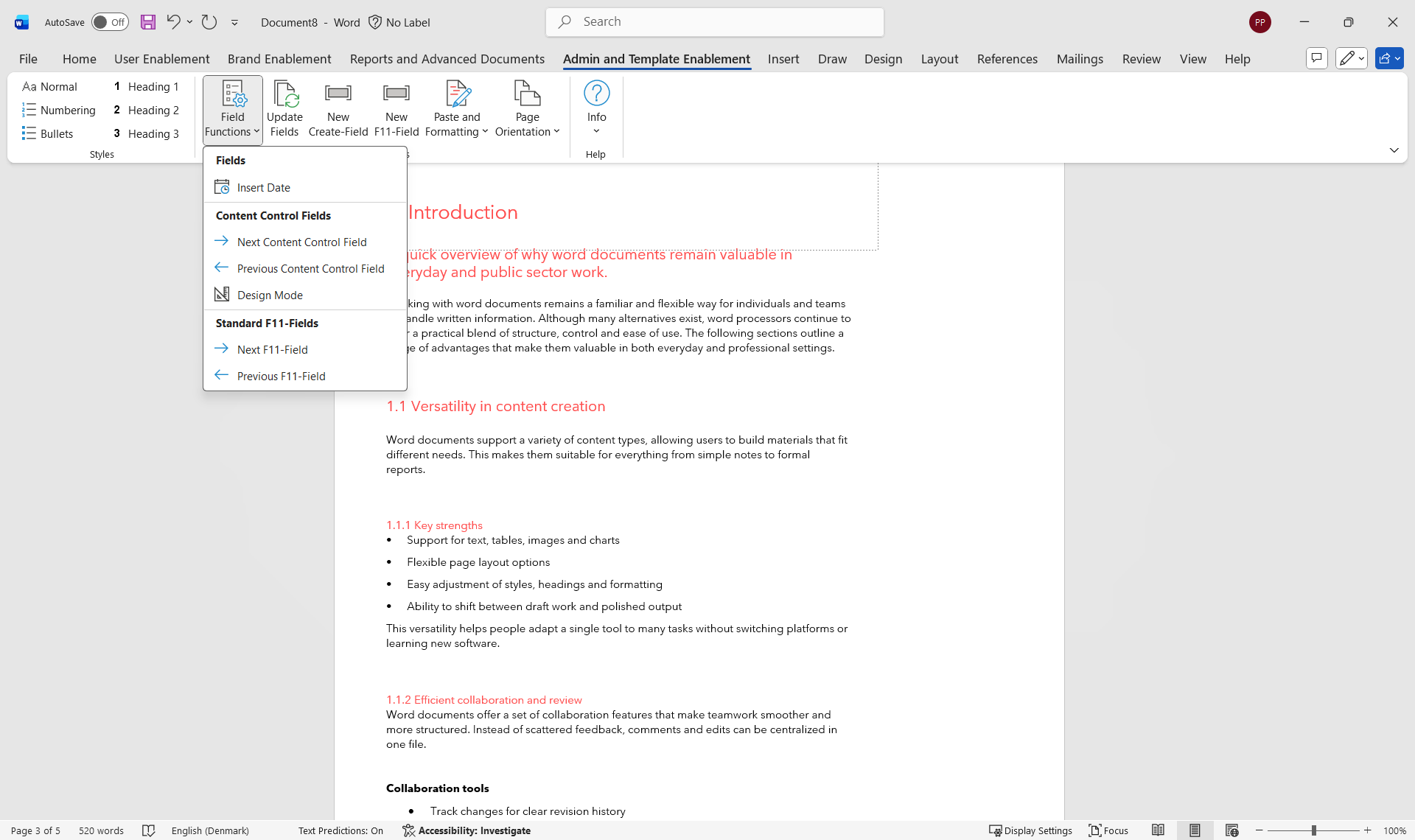
Reduce manual formatting work with tools that update fields, manage content controls, and keep document structure accurate as templates evolve.
- Insert dates and navigate content controls easily
- Update all fields across the document at once
- Add new Create or F11 fields with a single action
-
See our other Productivity Tools
Four ribbons to add into your Microsoft Office applications to transform your document creation process.
User Enablement ribbon


For busy professionals and teams who regularly create reports, proposals, and presentations and want consistent branding without manual effort. Apply corporate styles and layouts to charts, tables, and visuals in seconds.
Brand Enablement ribbon

For organizations that need consistent branding across reports, slides, and spreadsheets and want to save time on manual adjustments. Apply corporate styles and layouts to charts, tables, and visuals in seconds.
Reports and Advanced Documents ribbon
For teams producing detailed reports or advanced documents that require standardized layouts, compliance, and collaboration. Handle report creation, research papers, and detailed documentation with confidence.
Boost your workflows with Productivity Tools
Learn more about the tools from our experts who will be able to advise you on the best Productivity ribbon for your specific use case to help your business achieve its goals
